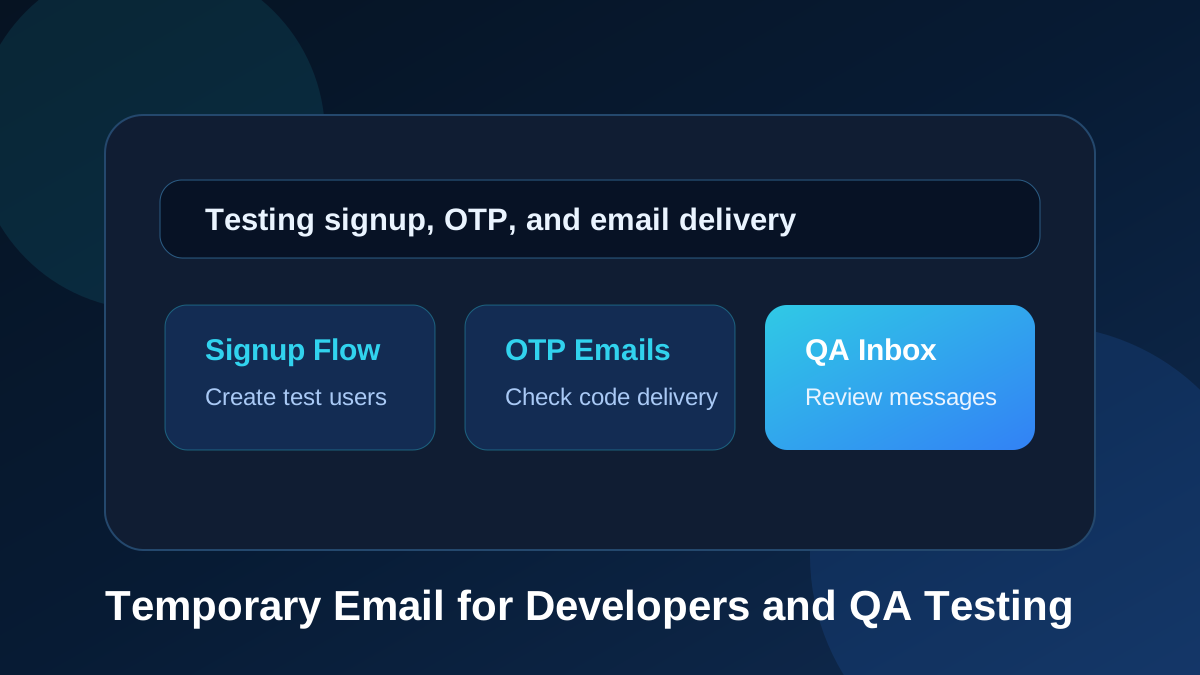
Temporary email is not only useful for everyday users who want to avoid spam. It is also a practical tool for developers, QA testers, product teams, designers, and startup founders who need to test email workflows again and again. Modern applications rely heavily on email. A user may need to verify an account, receive an OTP code, reset a password, confirm a new device, accept an invitation, check a billing notice, or read a welcome message. Each of those flows must be tested before real users depend on them.
TemproMail gives developers a simple browser-based inbox for testing these flows. You can create or enter a temporary email address, use it in your app, receive the message online, and check whether the email arrives correctly. The public website runs on tempromail.com, while generated inbox addresses use @keyomail.com. That makes it easy to create test addresses and review messages without using your personal or business mailbox for every test.
Why email testing matters in modern apps
Email is often one of the first touchpoints in a product. When a user signs up, the welcome email may be the first message they receive from your brand. When a user forgets a password, the reset email becomes part of the recovery experience. When a user logs in from a new device, an OTP email may be the only thing standing between a smooth login and frustration. If those emails are delayed, broken, confusing, or missing, the entire product can feel unreliable.
Developers often focus on the main application interface, but email is part of the interface too. The subject line, sender name, message body, code formatting, button layout, link behavior, and delivery speed all affect the user experience. A temporary email inbox helps teams test these details in a fast and repeatable way.
Common email flows developers need to test
One of the most common flows is account registration. A new user signs up, enters an email address, and receives a confirmation email. The developer needs to check whether the email is sent, whether it lands in the inbox, whether the subject line makes sense, and whether the confirmation link works.
Another common flow is OTP verification. Many apps send a one-time password to confirm identity during login, signup, account recovery, or sensitive actions. The OTP code must be clear, readable, and delivered quickly. A temporary email inbox can help you test this flow many times without filling your real mailbox with codes.
Password reset emails are also important. A broken password reset flow can block users from accessing their accounts. Developers need to confirm that reset links are generated correctly, expire correctly, and lead users to the right screen. Temporary email makes it easier to test this safely during development.
Other flows include invitation emails, team member invites, trial activation emails, billing notices, contact form alerts, order confirmations, newsletter previews, security notifications, and onboarding sequences. All of these can be reviewed using a temporary inbox during testing.
The problem with using your personal email for testing
Many developers start by testing emails with their personal or work email address. That works for the first few tests, but it quickly becomes messy. Your inbox fills with test messages. You may lose track of which email belongs to which environment. You may accidentally click production links while testing staging. You may also hit limits when an app requires a unique email address for every new account.
Creating many permanent email accounts is not a good solution either. It takes time, creates unnecessary accounts, and becomes difficult to manage. A temporary email address solves this by giving you quick inboxes for short-term testing. You can create a test user, receive the email, verify the flow, and move on.
Temporary email for signup flow testing
Signup flow testing is one of the best use cases for temporary email. Every signup form needs to be tested from the user's perspective. Does the form accept the email? Does the app send the verification message? Does the email arrive quickly? Does the link work? What happens if the user requests another email? What does the message look like on mobile? These questions are easier to answer when you can create multiple test inboxes quickly.
With TemproMail, a developer can use a custom or random @keyomail.com address for a test account. After submitting the signup form, the message appears in the browser inbox. This keeps the testing loop short and focused.
Temporary email for OTP testing
OTP testing requires speed and repetition. If your app sends one-time passwords, you need to confirm that codes are delivered quickly and displayed clearly. You may also need to test resend buttons, expiration behavior, wrong-code messages, rate limits, and multiple login attempts.
A temporary inbox is useful because you can repeat these tests without polluting your real mailbox. You can create a test address, trigger the OTP, check the inbox, and confirm the message. If you need a fresh account, you can create another temporary address and test again.
Temporary email for password reset testing
Password reset emails are a critical part of user support. If the reset email fails, users may leave the product or contact support. Developers should test reset flows carefully. The reset link should be easy to find, the message should be readable, and the link should direct the user to the correct page.
Temporary email makes it easier to test password reset flows across different accounts. You can create several test users, trigger reset emails, compare messages, and confirm that every link behaves correctly.
Temporary email for QA teams
QA teams often need to test the same scenario repeatedly. For example, a QA tester may need to verify that a new user receives a welcome email, that the OTP field works, that a password reset email arrives, and that an invitation email is sent to a teammate. A temporary email inbox helps QA teams perform those checks without creating and maintaining many real email accounts.
Temporary inboxes are also useful for regression testing. When a team changes authentication logic, updates email templates, modifies onboarding flows, or adjusts transactional email settings, QA can quickly test whether the email experience still works.
Temporary email for staging and development environments
Many teams have separate environments such as local development, staging, and production. Email testing can become confusing when messages from different environments arrive in the same mailbox. Temporary email can help separate those tests. A developer can use one address for local testing, another for staging, and another for a specific bug report.
This separation makes it easier to understand which environment sent which message. It also reduces the risk of mixing test emails with important work emails.
How product teams can use temporary inboxes
Product managers and designers can also benefit from temporary email. They may not need to inspect code, but they do need to understand the user journey. A temporary inbox lets them experience signup, verification, onboarding, and reset flows like a new user. This can reveal confusing wording, unclear buttons, missing context, or unnecessary friction.
For example, a product manager might test whether a welcome email explains the next step clearly. A designer might check whether an email template matches the brand. A founder might test whether the signup process feels fast enough before launching a campaign.
What to check when testing emails
When testing application emails, do not only check whether the message arrives. Check the full experience. Look at the sender name, subject line, preview text, message layout, code readability, link destination, button text, mobile readability, and timing. Also check what happens when the user requests another email or enters an incorrect code.
For verification emails, confirm that links work only as intended. For OTP emails, confirm that codes expire correctly. For password resets, confirm that the reset link cannot be reused forever. Temporary email helps with the inbox side of the test, but your application logic still needs careful security testing.
Best practices for developers using temp mail
Use temporary email for test accounts, demo accounts, signup flow reviews, and QA workflows. Keep sensitive accounts connected to permanent inboxes. Do not use temporary email for production admin accounts, payment accounts, or accounts that require long-term recovery access.
Use clear naming when creating custom addresses. For example, you can use addresses that describe the test case, such as signup-test, otp-flow, reset-check, or qa-demo. This makes it easier to identify which inbox belongs to which test.
Document your test cases. A temporary inbox is most useful when it supports a clear testing process. Write down what you are checking, what message you expect, and what result counts as success.
Temporary email and deliverability testing
Temporary email can help you confirm that messages are being sent, but it is not a complete deliverability testing system. If you need advanced deliverability analysis, you may still need tools that check SPF, DKIM, DMARC, spam scoring, inbox placement, and bounce handling. However, for functional testing and quick message review, a temporary inbox is extremely helpful.
TemproMail is especially useful for checking whether the app sends the right message to the right address and whether the content is readable in the browser.
Final thoughts
Temporary email is a practical tool for developers and QA teams because email is part of the user experience. Signup confirmations, OTP codes, password resets, invitations, and notification emails all need to work reliably. A temporary inbox makes it faster to test those flows without filling your personal mailbox or creating many permanent accounts.
TemproMail helps developers create and check temporary inboxes from the browser, receive test messages, and use @keyomail.com addresses for app testing. Use it for low-risk development and QA workflows, keep important accounts on permanent email addresses, and make your product's email experience smoother before users ever see it.